Flowise AI : Build Powerful AI Agents Visually Without Coding
Update (August 2026)
Flowise announced it is winding down operations. The GitHub repository entered code freeze on July 29, 2026, moves to public archive status on August 10, 2026, and official core-team support ends on August 31, 2026. The Apache 2.0 licensed code will remain available on GitHub indefinitely, so existing self-hosted instances keep working, but teams planning new production use should read the Limitations section below before committing.
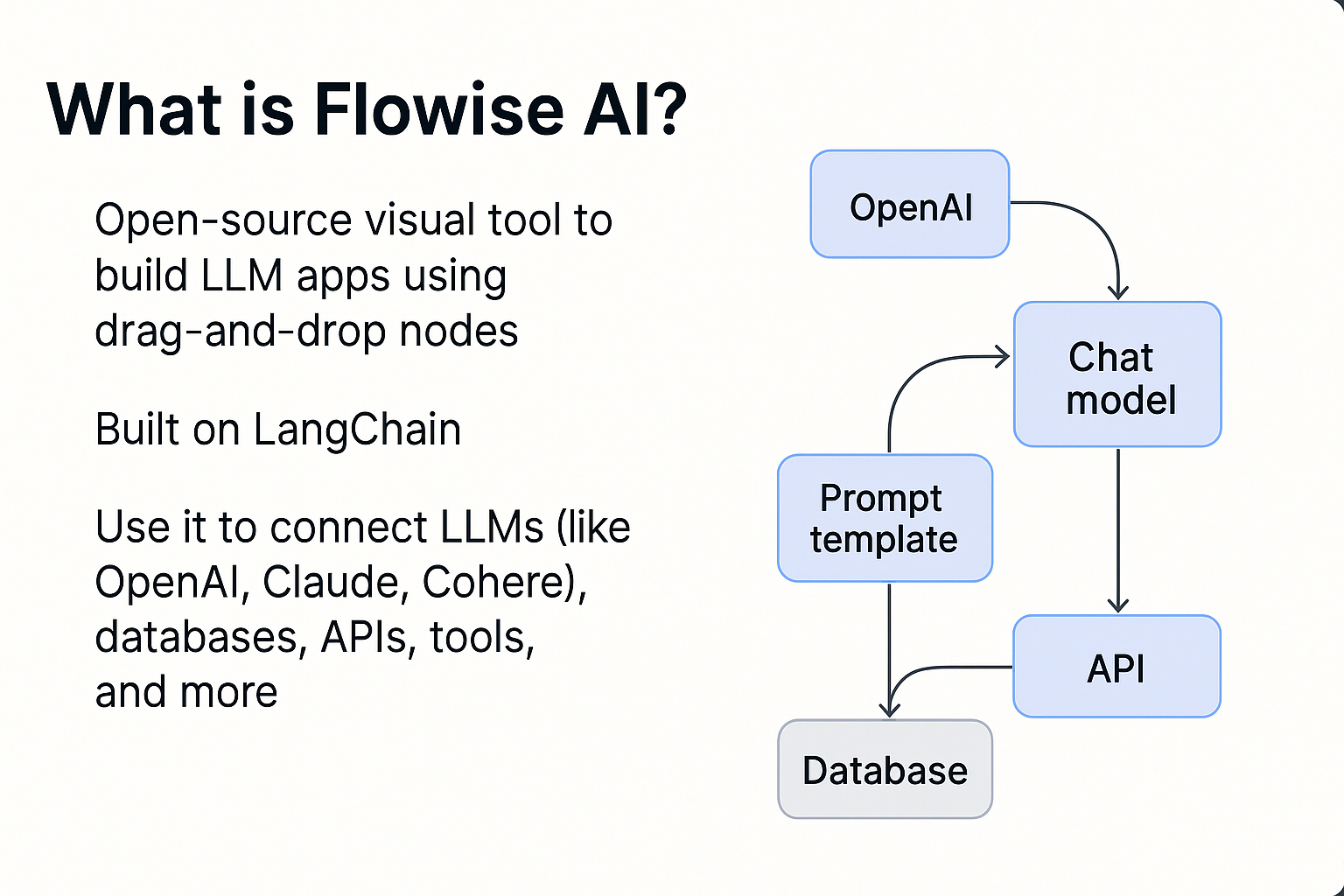
What is Flowise AI?
Flowise AI has made it easier than ever before to create AI applications with its open-source platform. The architecture of the Flowise platform is based on LangChain architecture and is designed for both developers and end-users. Instead of having to write complex custom code, users can create their AI applications by visually dragging and dropping block interfaces that represent language model data sources and tools in a manner similar to that used in flowcharting software. This allows users of all skill levels to create powerful AI agents much quicker and easier than previous methods.
Key Features
- Drag and Drop Visual Builder - Design AI workflows with a visual interface, eliminating the need for lengthy code blocks, for faster and more intuitive development.
- Supports building full AI agents that can reason, act, and respond across complex tasks.
- Accelerate development with ready-made flows for common tasks like RAG (Retrieval-Augmented Generation), conversational assistants, and document processing.
- Connect to APIs, databases, vector stores, and external tools and extend with custom components and scripts.
- You can self-host Flowise or run it locally, keeping full control over your data and environment.
Benefits
- No/Low-Code Development: Ideal for non-technical users and rapid prototyping
- Visual Clarity: Easier to visualize AI logic compared to text-only coding.
- Flexible & Extensible: Works with many models, plugins, and data sources.
- Open-Source Freedom: No vendor lock-in; customizable and community-driven.
- Quicker Deployment: From idea to deployment in minutes, not weeks.
Practical use cases
- AI Chatbots & Virtual Assistants: Build conversational agents that answer user queries, support customers, or automate help desks.
- Document-Based Q&A Tools: Create systems that can read documents (PDF/CSV) and answer questions from them, useful for research, education, or knowledge bases.
- RAG Apps & Search Assistants: Combine large language models with database/vector search to build smarter search engines and recommendation tools.
- Custom AI Assistants for Business: Deploy industry-specific assistants (sales support, analytics aids, SQL assistants, etc.) with minimal engineering overhead.
Comparison with other similar tools
| Tool | Strengths | Primary Use |
| Flowise AI | Visual, open-source, powerful LLM workflows | Building full AI agents & flows |
| Langflow | Simpler, LangChain visualizer | Quick prototyping with LangChain |
| n8n | Strong automation integrations | Business task automations |
| Voiceflow | Designed for voice & conversational UX | Voice & chatbot experiences |
We've built production AI agent pipelines using Flowise, LangChain, and n8n for enterprise clients over the past few years. With Flowise winding down, we're now helping teams assess their existing flows, decide what needs an acceptance test, and migrate to a maintained alternative or a custom-built solution where it makes sense. If your team is running Flowise in production and needs a clear path forward → talk to us..
Limitations & Considerations
- Learning Curve: Understanding nodes and flows takes a bit of getting used to.
- Documentation Gaps: Users sometimes find missing or sparse docs for advanced features.
- Local Resources: Self-hosting may require environment setup (Node, Docker).
- Scaling: For production, deployments and monitoring must be carefully architected. (docs recommend env setup)
Flowise Pricing
Flowise itself was free and open-source, and self-hosting cost nothing beyond your own server or infrastructure expenses. Flowise Cloud offered a managed version with paid tiers based on usage. As the project winds down through August 2026, new Cloud signups are not recommended. Existing self-hosted deployments can continue running on the Apache 2.0 codebase, since it remains on GitHub, but active development and support have stopped.
How to activate the tool
Flowise AI is flexible in how you can access and run it. Depending on your use case, learning, development, or production, you can choose between the official website, local self-hosting, or cloud deployment.
- Access via Official Website:
- You can start by visiting the official Flowise AI website: https://flowiseai.com/
- Click on Get Started, which will redirect you to: https://cloud.flowiseai.com/
- Here, you can simply sign up or sign in and begin:
- Self-Host or Local Setup (Most Common & Recommended):
- Self-hosting Flowise locally is the fastest and most popular way to start building AI workflows.
- Prerequisites: npm installed, Node.js v18 or later
- Open your terminal and install Flowise globally: npm install -g flowise
- Start Flowise: flowise start
- Open your browser and navigate to: http://localhost:3000. You will be greeted with the Flowise dashboard, where you can start creating chatflows and AI agents.
- Self-Host or Local Setup: Run from GitHub Repository (Advanced Users)
- This method is suitable for advanced users who want deeper customization or plan to contribute to the project.
- Clone the repository: git clone https://github.com/FlowiseAI/Flowise.git
- Navigate to the project directory: cd Flowise
- Install dependencies: npm install
- Build the project: npm run build
- Start the application: npm start
- Access Flowise at: http://localhost:3000
- Cloud Deployment (For Production Use)
- Flowise can be deployed on any cloud platform that supports Node.js or Docker, making it suitable for production-grade applications.
- Choose a VM or container service
- Install Docker or Node.js
- Run Flowise using Docker or npm
- Configure environment variables (API keys, DB, vector stores)
- Expose port 3000 via firewall or reverse proxy (Nginx)
Basic Tutorial | First Project Idea
- Build a Simple Q&A Assistant Using Flowise AI
- Setup
- Install Flowise locally via npm or Docker.
- Create a New Flow
- Add a Start node.
- Add an LLM Node
- Choose your language model (OpenAI, local LLM, etc.)
- Drag and drop an LLM node onto the canvas.
- Add a Document Loader
- The Document Loader allows Flowise to read your data files to upload your dataset (PDF / CSV).
- Add Text Splitter & Vector Store (Optional but Recommended)
- For better results with large documents, add a Text Splitter node, which splits large documents into smaller chunks.
- Add a Vector Store (e.g., in-memory, Pinecone, etc.) Enables semantic search
- Connect the Nodes
- Now wire everything together visually
- Document Loader → Text Splitter → Vector Store → LLM → Output
- Test & Deploy
- Run, test input, and refine responses.
This simple “Q&A agent” familiarises you with Flowise’s drag-and-drop workflow.
Links to Documentation & Resources
- Official Flowise AI website: https://flowiseai.com/
- Official Docs: https://docs.flowiseai.com/
- GitHub Repo: https://github.com/FlowiseAI/Flowise
- Tutorials & Getting Started: https://docs.flowiseai.com/getting-started
- Pinecone Integration: https://docs.pinecone.io/integrations/flowise
- Demo: https://flowiseai.com/videos/agentflow.mp4
Smart AI & Software Solutions for Modern Businesses
As a custom software development company, we at Seaflux build scalable digital products that solve real business challenges. Our expertise spans custom AI solutions that automate tasks and improve decision-making, and chatbot development that enhances user engagement across platforms.
Looking for something more specific? We also provide custom chatbot solutions tailored to your business needs. As a trusted AI solutions provider, we deliver innovation from idea to implementation
Schedule a meeting with us to explore how we can bring your vision to life.
Frequently Asked Questions (FAQ): Get the Answers You Need
What is Flowise AI?
Flowise AI is a free, open-source platform for building AI agents and LLM applications using a visual, drag-and-drop interface instead of writing code. It's built on LangChain architecture and supports both technical and non-technical users.
Is Flowise AI free to use?
Yes, Flowise is open-source and free to self-host. A hosted cloud version is also available for teams that prefer not to manage their own infrastructure.
How do I install Flowise?
The most common method is installing it globally via npm with npm install -g flowise, then running flowise start and accessing the dashboard at localhost:3000. Docker and cloud deployment options are also available for production use.
Is Flowise suitable for non-developers?
Yes. Its visual drag-and-drop builder is designed so non-technical users can create AI workflows without writing code, though some familiarity with AI concepts like language models and vector stores is helpful.
How is Flowise different from n8n?
Flowise is purpose-built for creating AI agents and LLM-powered workflows, while n8n is a broader automation tool for connecting business apps and processes. Teams often use both together depending on the use case.
Can Flowise be used for production applications?
Flowise was originally suitable for production with proper environment setup, hosting, and monitoring. As of August 2026, the project is winding down: the repository is archived and core-team support has ended. Existing self-hosted deployments will keep running since the Apache 2.0 code stays on GitHub, but new production builds should be evaluated carefully. Teams already running Flowise in production should plan an acceptance test of their exported flows and weigh forking the codebase internally against migrating to an actively maintained alternative.

Virag Ranipa
Senior Software Engineer